
Key features
Effortless to use, built for real game needs
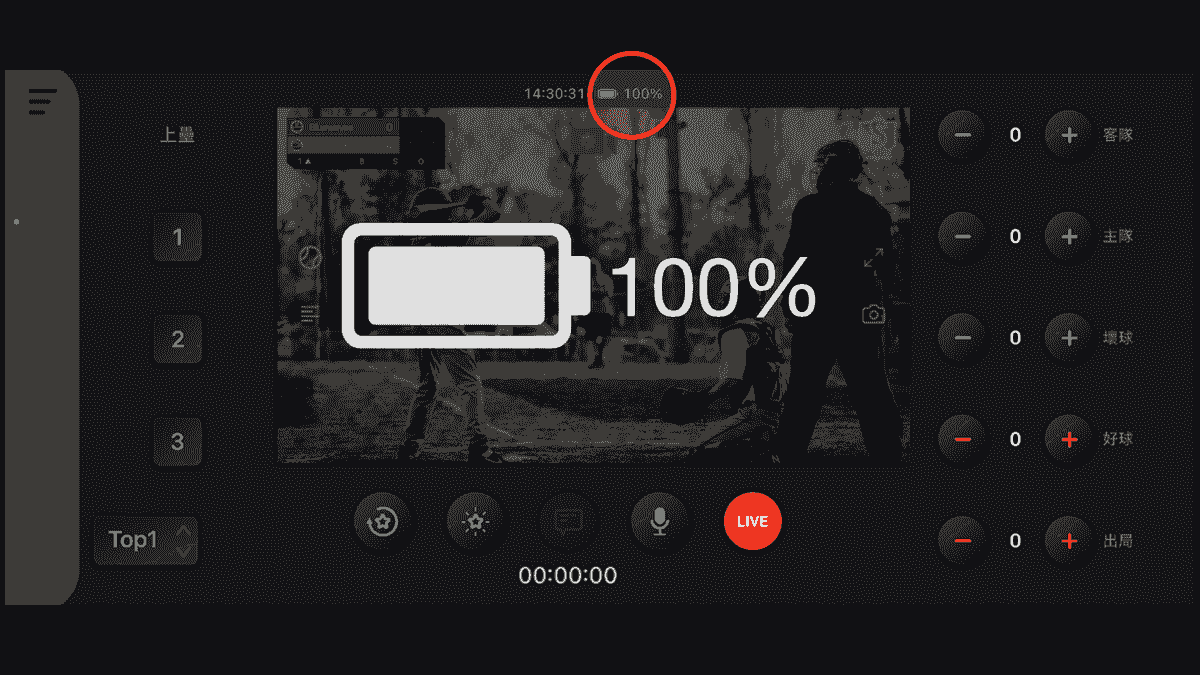
Battery Indicator
Monitor your device's battery level in real time while livestreaming. Stay informed throughout every broadcast and avoid unexpected interruptions caused by low battery.
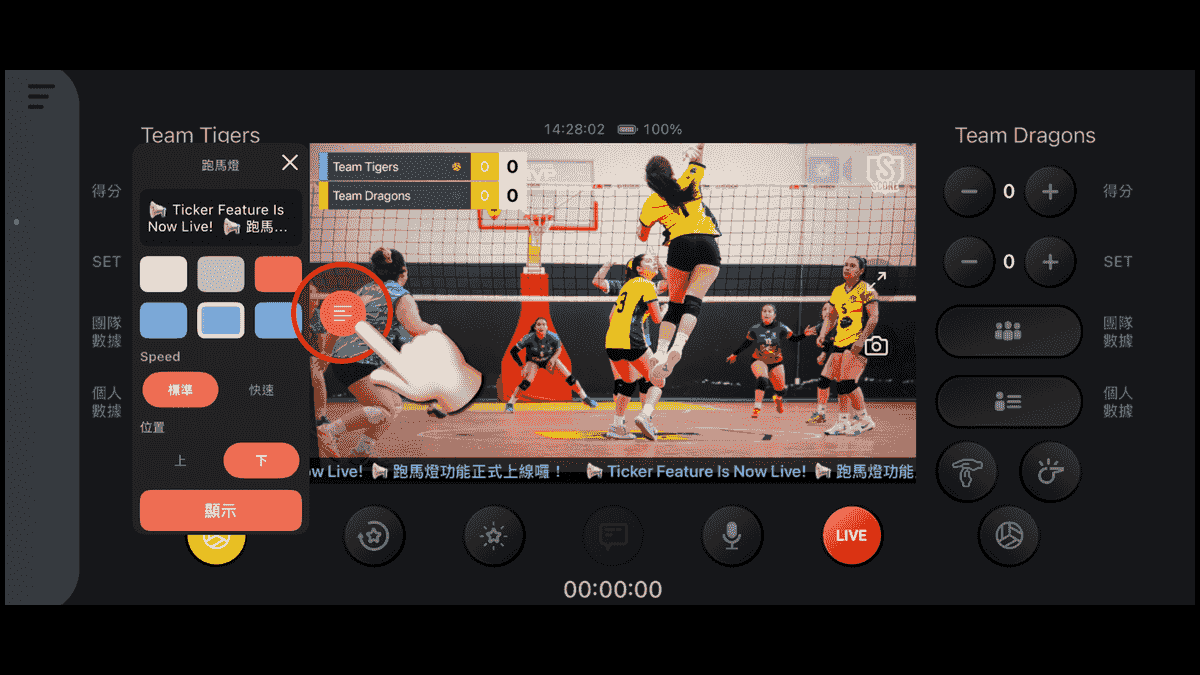
Custom Ticker
Create a custom ticker with your own text, colors, scrolling speed, and screen position. Perfect for sponsor messages, announcements, and live updates throughout your broadcast.
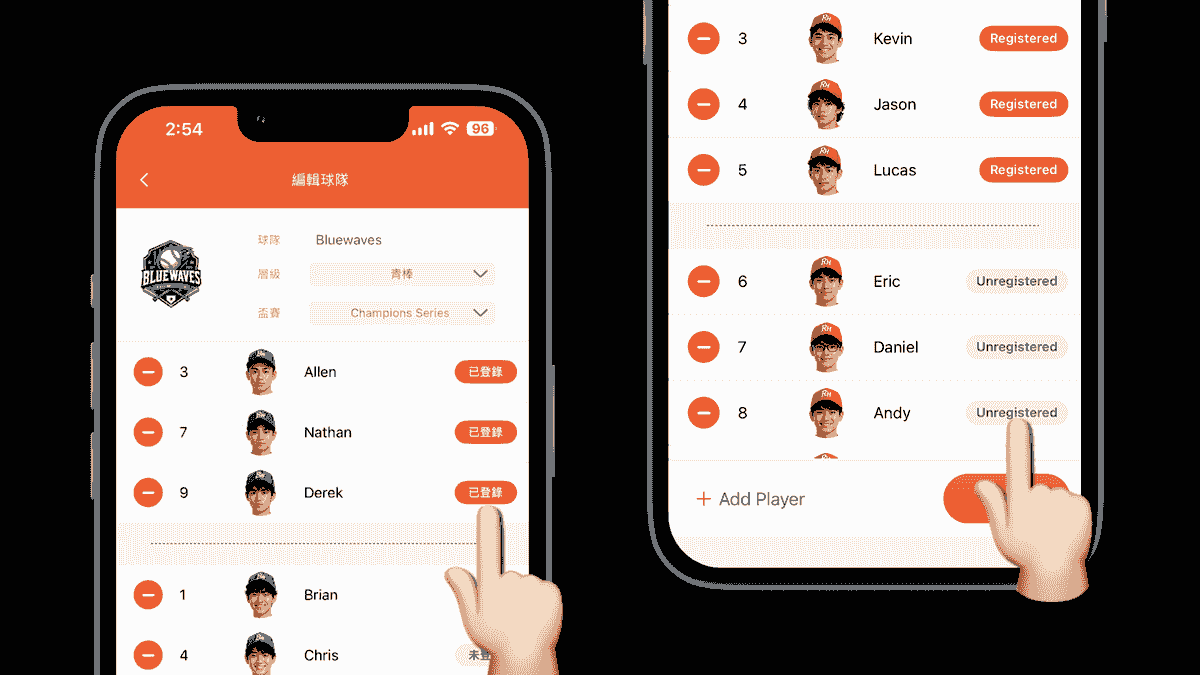
Game Roster
Register the players for the current game, and they'll automatically be pinned to the top of the player list. Select players faster, reduce manual steps, and keep score more efficiently.
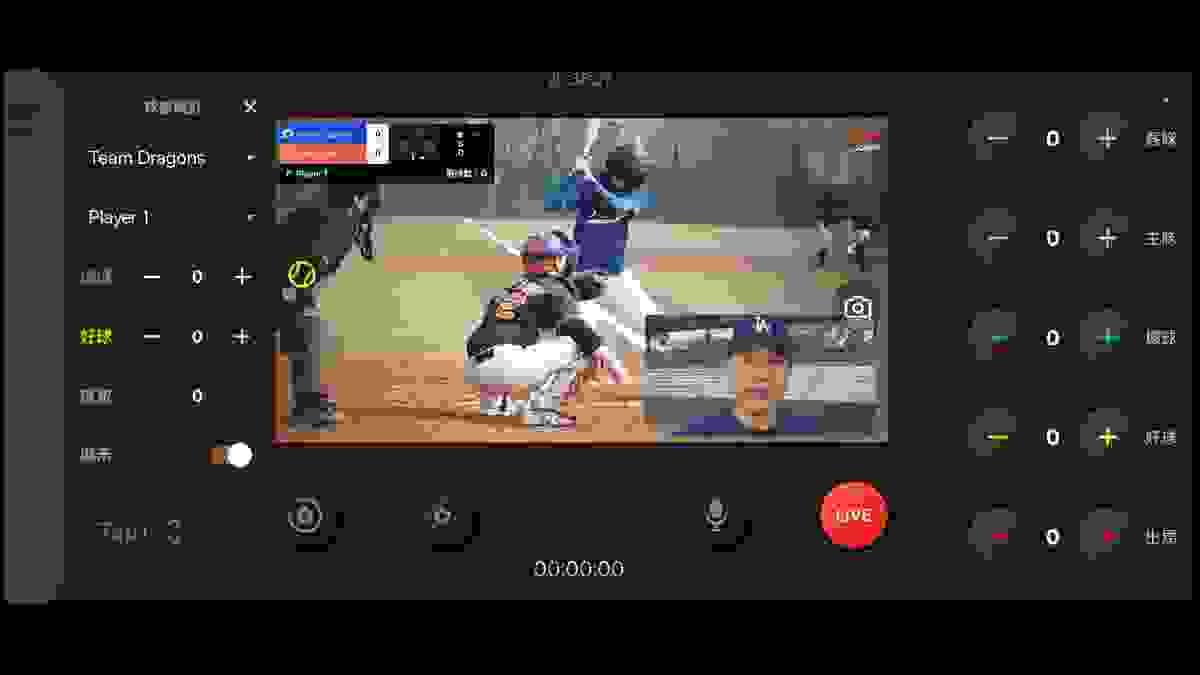
Picture-in-Picture with External Cameras
When using an external camera, switch between your phone camera and the external camera, or add your phone’s front or rear camera as a picture-in-picture window from the Video Source settings for a more dynamic and professional broadcast.
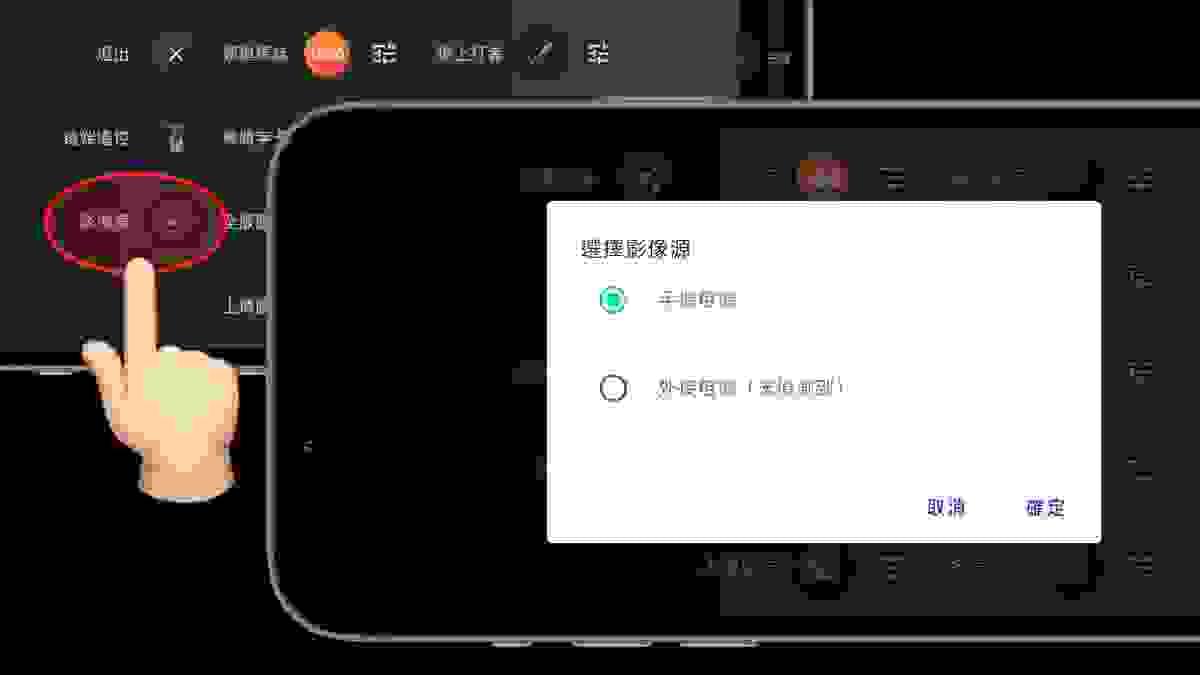
External Camera
ScoreLive for Android now supports external video sources via HDMI capture cards. Currently tested and supported devices include the j5create JVA01/JVA02 and AVerMedia Live Gamer series.
On iOS, ScoreLive Baseball now supports external video input via Accsoon SeeMo. Support for other ScoreLive apps on iOS is currently under review.
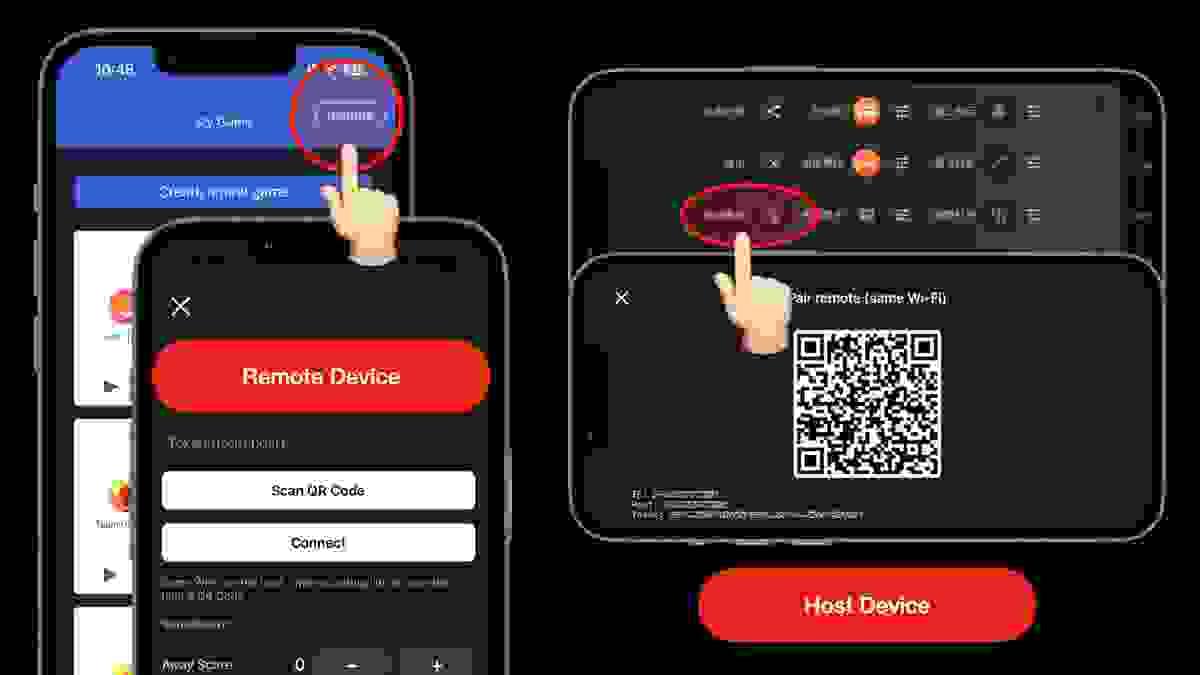
Remote Control Support
Install the same ScoreLive app on two smartphones and connect both devices to the same network. One device can be used as the remote controller, while the other serves as the streaming host. Simply scan the QR code and complete the pairing process to remotely control the scoreboard, making your live streaming workflow more flexible and convenient. See the demo: https://youtu.be/C7qsujDoOj4
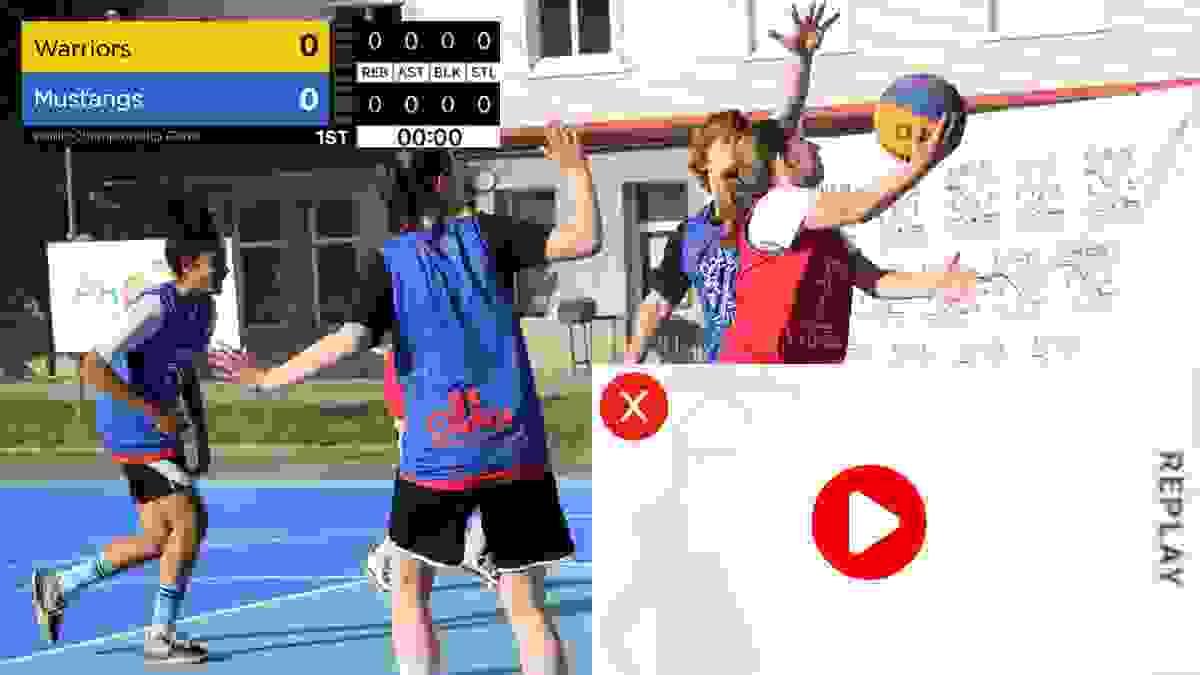
Replay highlights. Mute anytime.
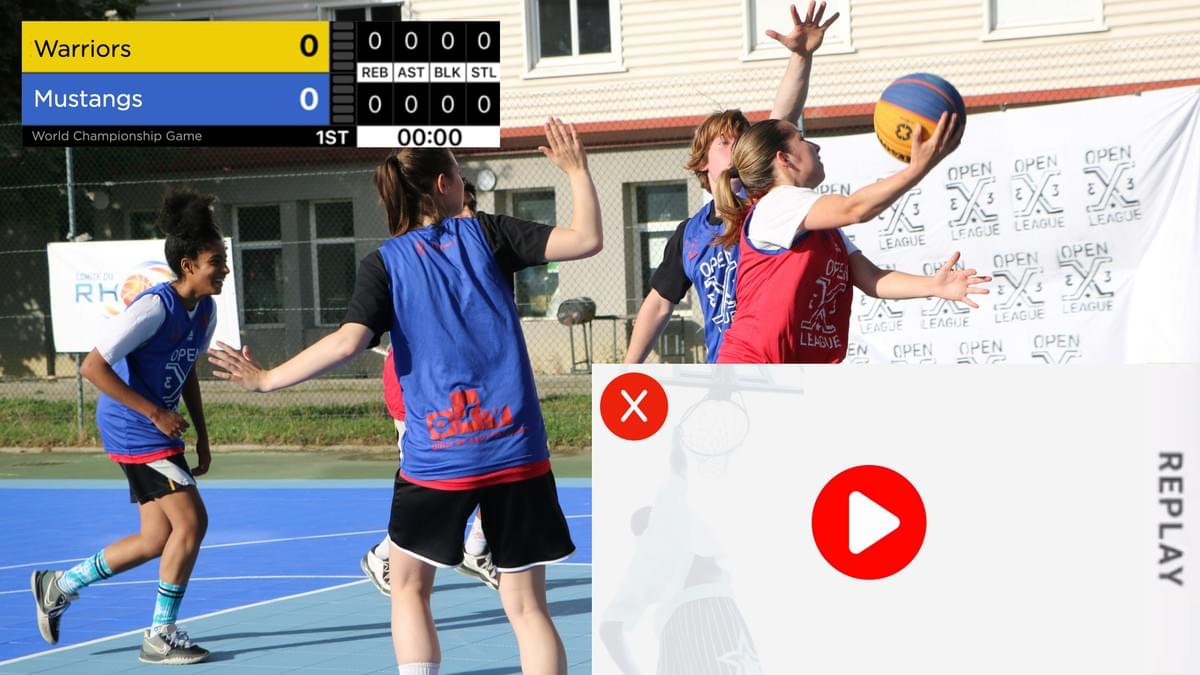
Instant replay isn’t just for TV anymore. With ScoreLive, you can save the last play and replay it in your live stream so every great moment gets the spotlight it deserves. With one tap, you can mute your stream, perfect for taking a break or when the sideline talk isn’t what you want everyone to hear.
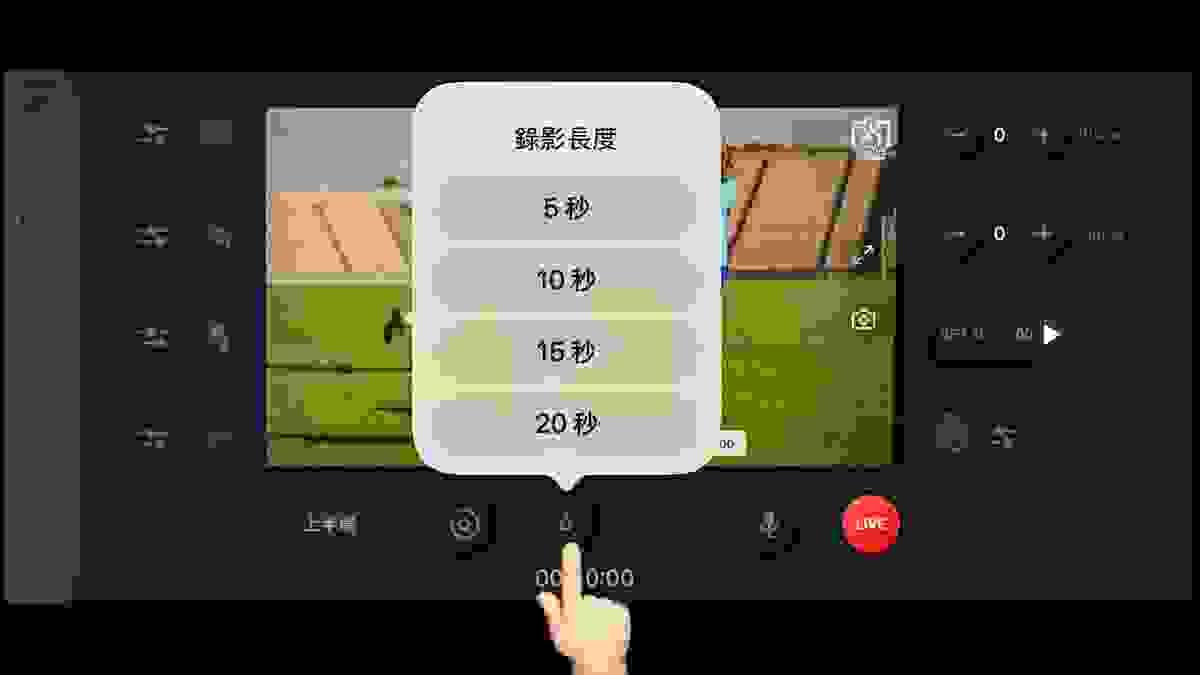
Custom Highlight Length
Choose from 5-, 10-, 15-, or 20-second highlight clips to capture every important moment. Select the clip length that best fits the play, whether it’s a quick highlight or a longer sequence.
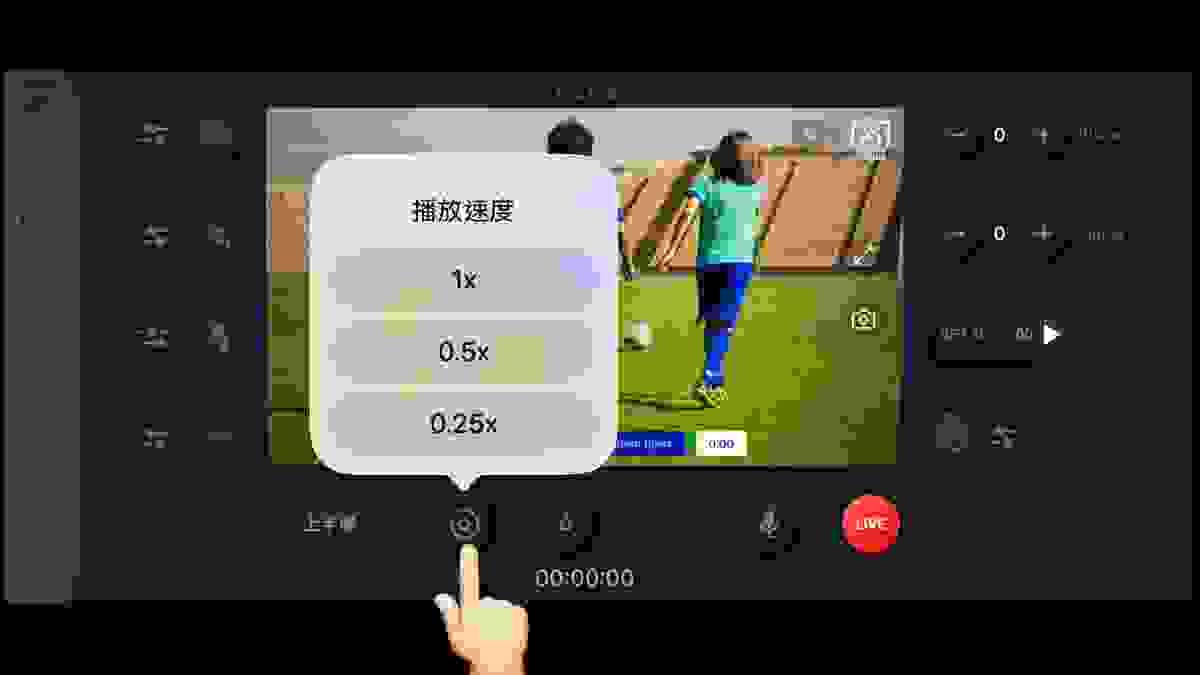
Slow Motion Replay
Watch videos and highlight replays at 1×, 0.5×, or 0.25× speed, making key plays and critical moments easier to review. Audio is available at 1× speed only.
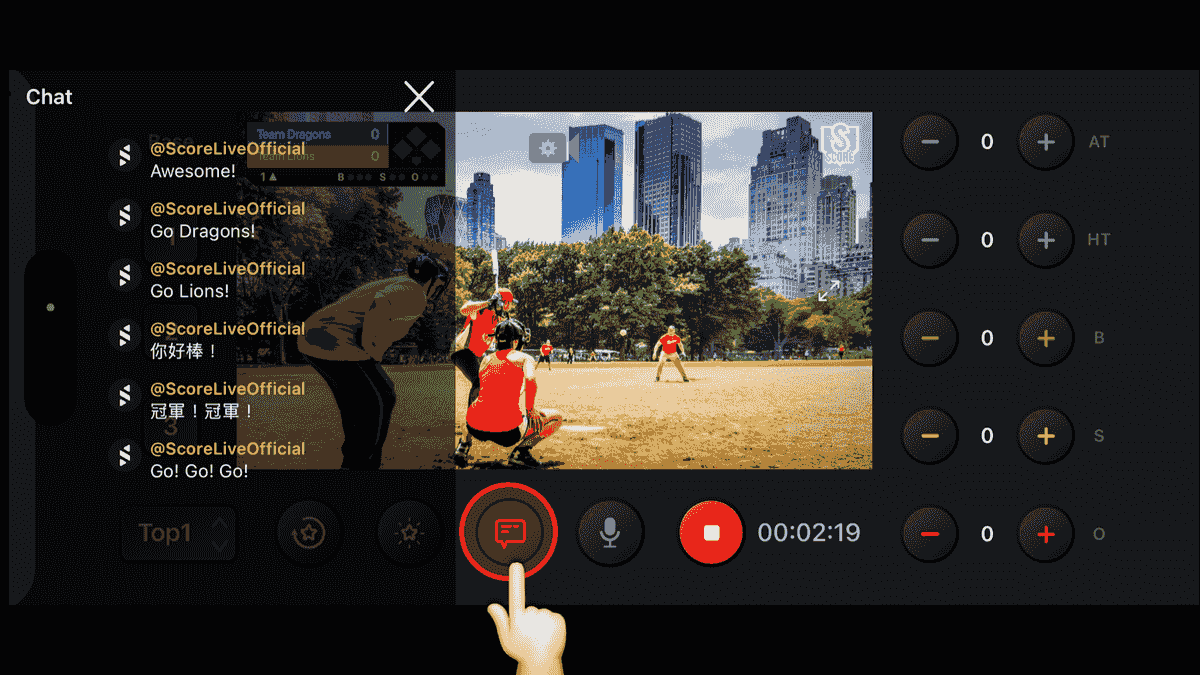
YouTube Live Chat Display
Once your YouTube livestream is connected, the live chat feature will be automatically enabled. By tapping the chat button, streamers can instantly view audience messages from the YouTube live chat during the broadcast, making it easier to stay engaged with viewers and respond in real time. All chat messages are visible only to the streamer and will not appear on the livestream output or broadcast screen.
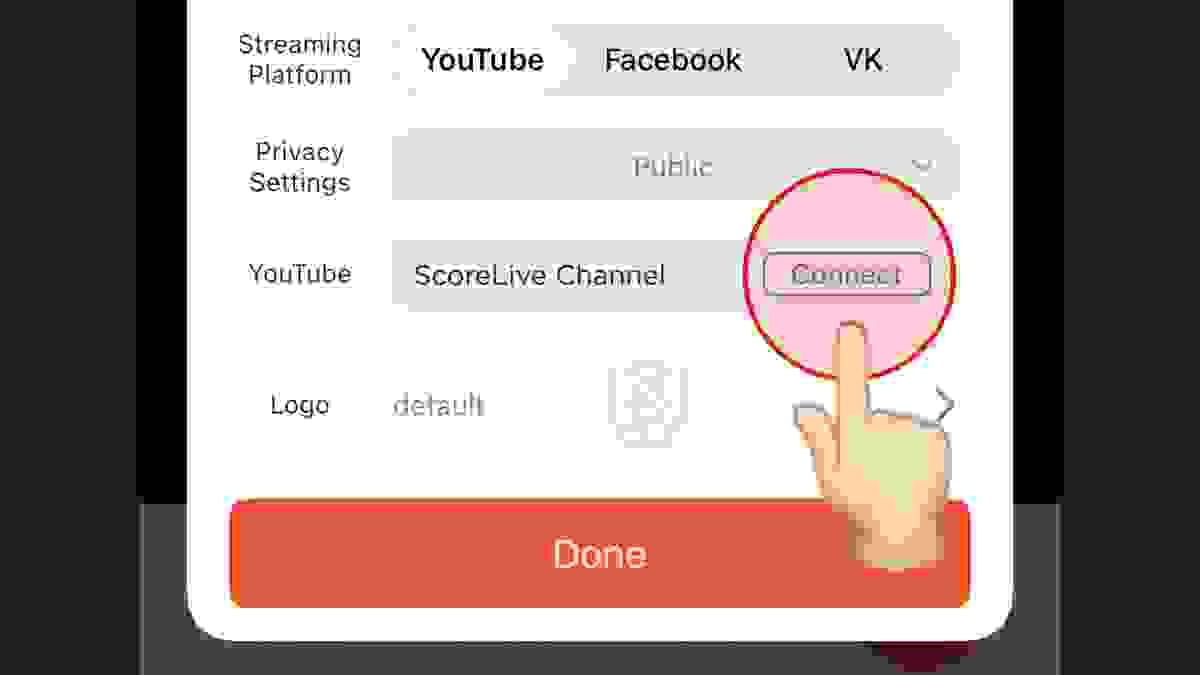
Switch YouTube Channels
After signing in to ScoreLive, your teams, players, and game data are synced to your member account instead of being tied to a single YouTube channel. You can freely switch between any YouTube channels where you have live streaming permission, depending on the needs of different games and events.
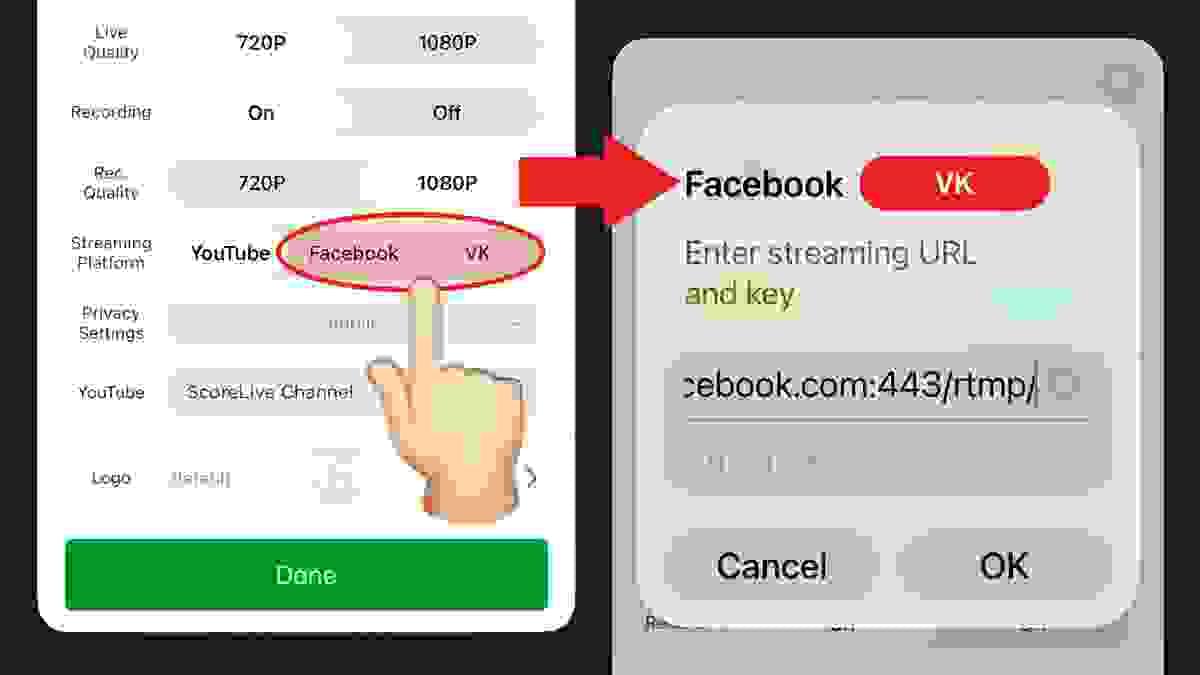
Support for Facebook & VK Live
You can now stream from ScoreLive directly to Facebook and VK. Simply enter the stream key provided by each platform to start streaming via RTMP. Due to platform restrictions, the live stream must be started and ended manually from the Facebook or VK web dashboard.
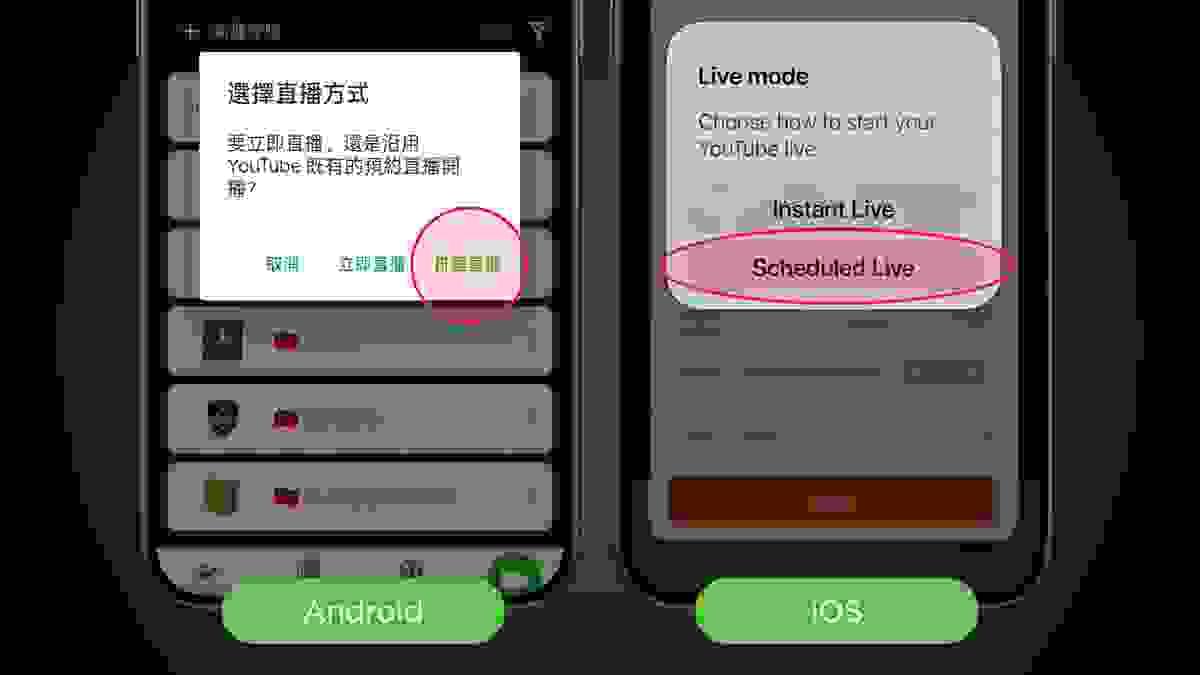
Scheduled YouTube livestream
You can now select and stream directly to your existing scheduled YouTube livestreams from within ScoreLive. Share your livestream link in advance, promote your upcoming games, and start streaming at game time without creating a new livestream or changing the link.
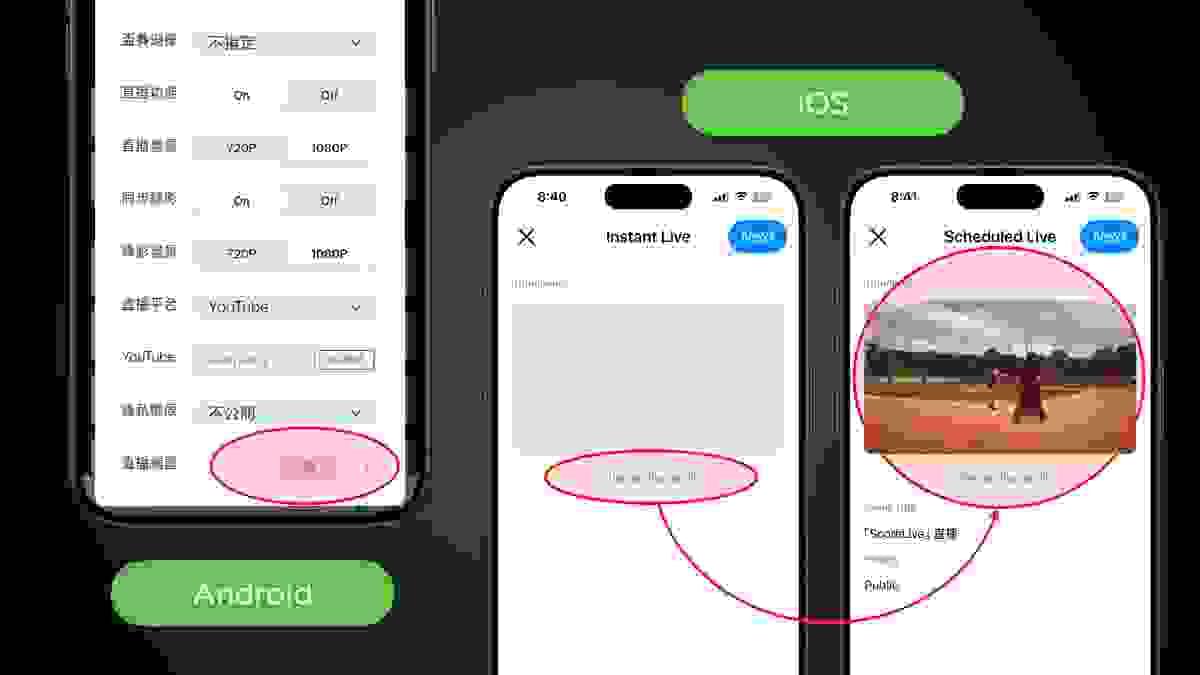
Custom YouTube thumbnails
You can now set a custom thumbnail for your YouTube livestream directly in ScoreLive.Prepare your thumbnail before going live to make your stream look more professional and attract more viewers. Available on both Android and iOS. Setup may vary slightly between devices.
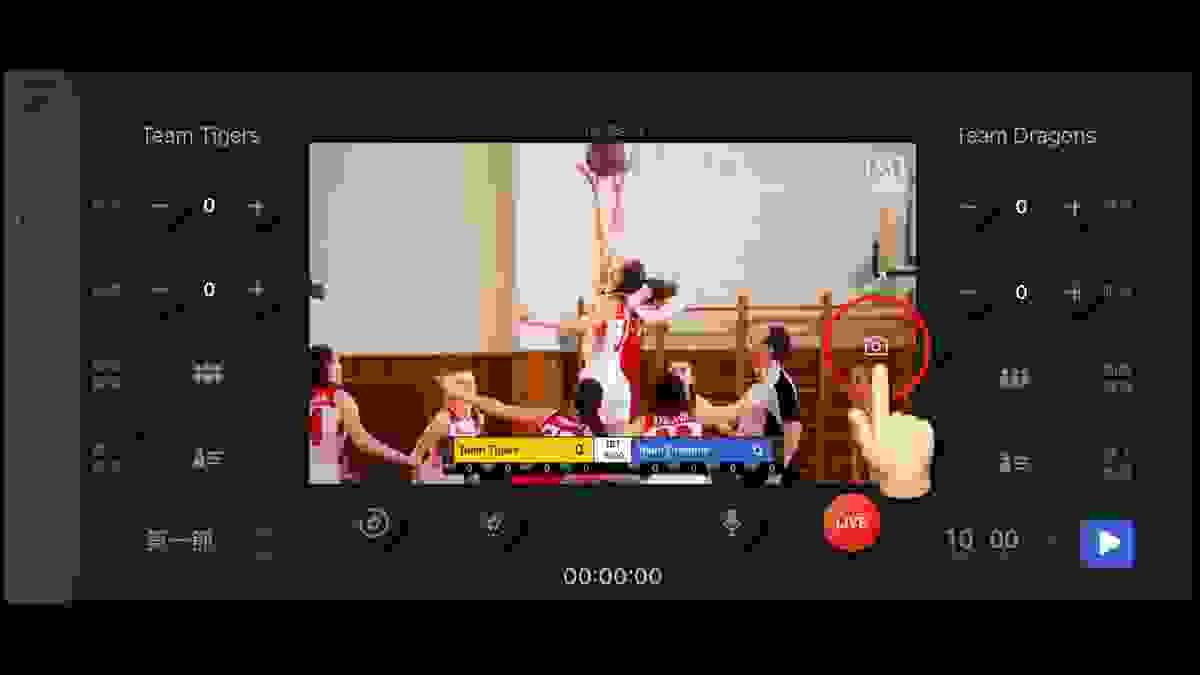
Screenshot Is Back
The screenshot feature is back! The screenshot button has been moved to the monitoring screen for quicker and more intuitive access, making it easy to capture memorable moments anytime during livestreams or recordings.
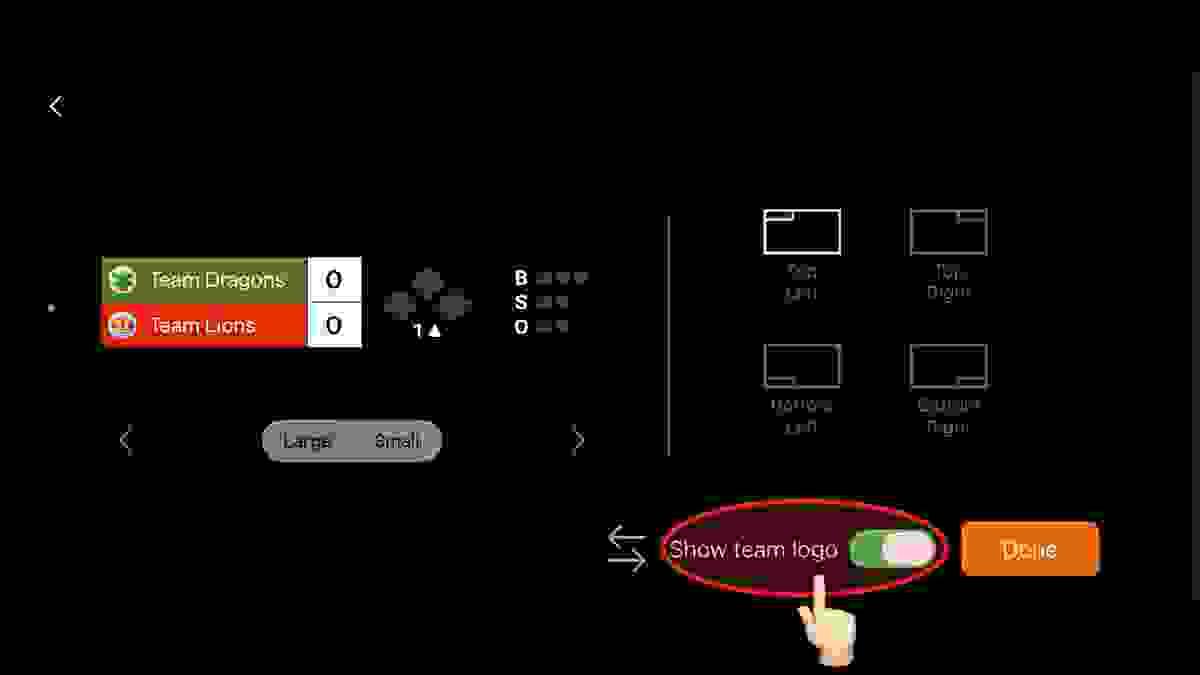
Show Team Logos on the Scoreboard
In the Advanced Panel’s scoreboard settings, you can now choose whether to display team logos on the scoreboard. During live streaming, team logos appear directly in the scoreboard overlay, giving your broadcast a more professional and polished look.
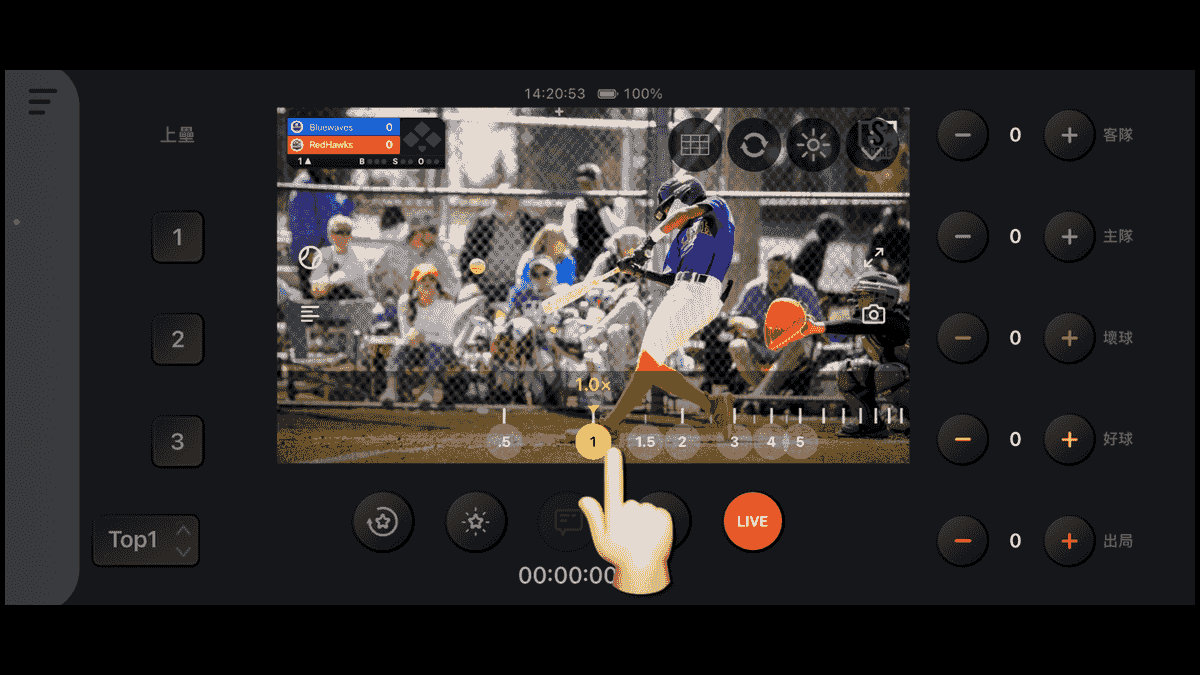
0.5×–15× Zoom. One Slide Away
Quick Zoom Controls are back, now integrated into the 0.5×–15× zoom control. Instantly switch between preset zoom levels or fine-tune with the zoom slider for greater control over every livestream.
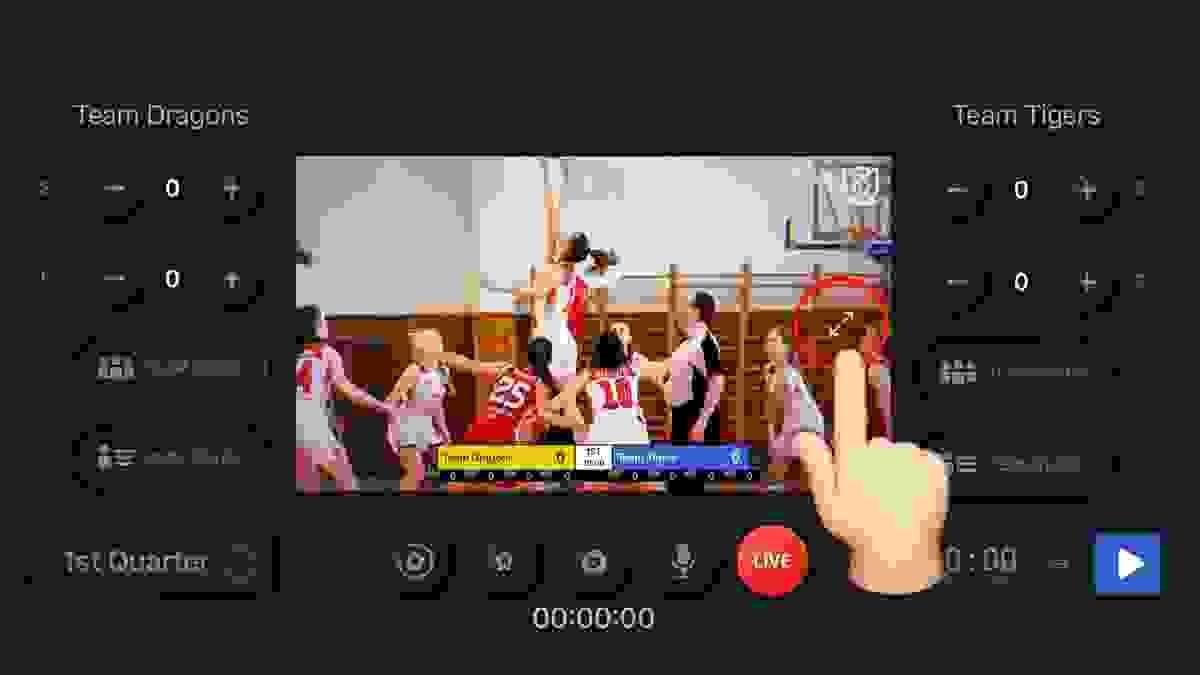
Full-Screen Monitoring
Enlarge the preview to full screen with a single tap for a clearer view of the action and shot details. When you need the scoreboard or controls, simply switch back instantly for a smoother live streaming experience.
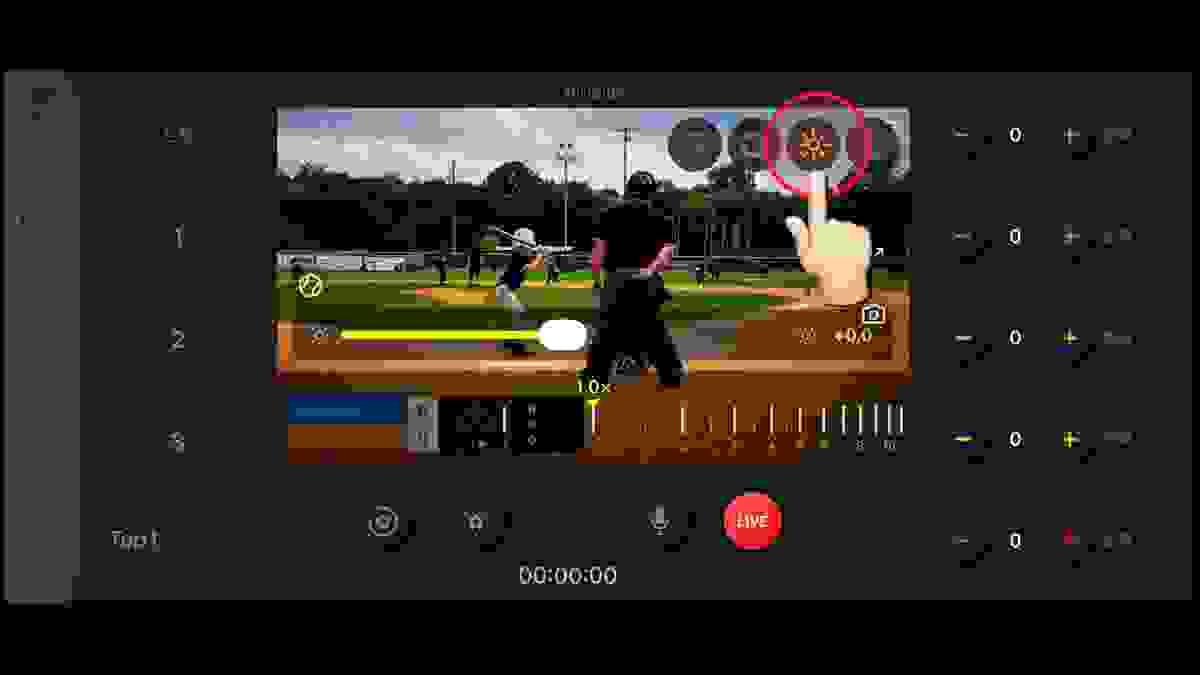
Exposure Compensation
The Camera Controls menu now includes exposure compensation alongside zoom controls, making it easy to fine-tune image brightness for changing lighting conditions.