

ScoreLive Volleyball
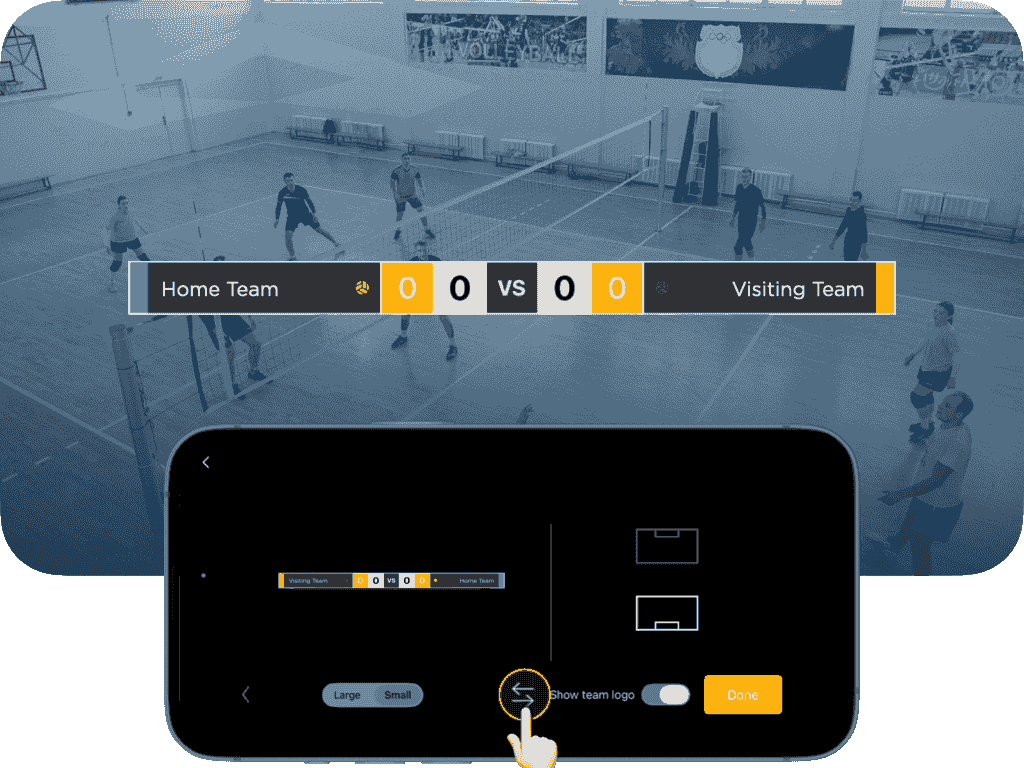
Swap Team Sides
In the Advanced Panel’s scoreboard settings, simply tap the SWAP icon to instantly switch the display sides of both teams on the scoreboard. This makes it easy to adjust home and away layouts during live streaming.
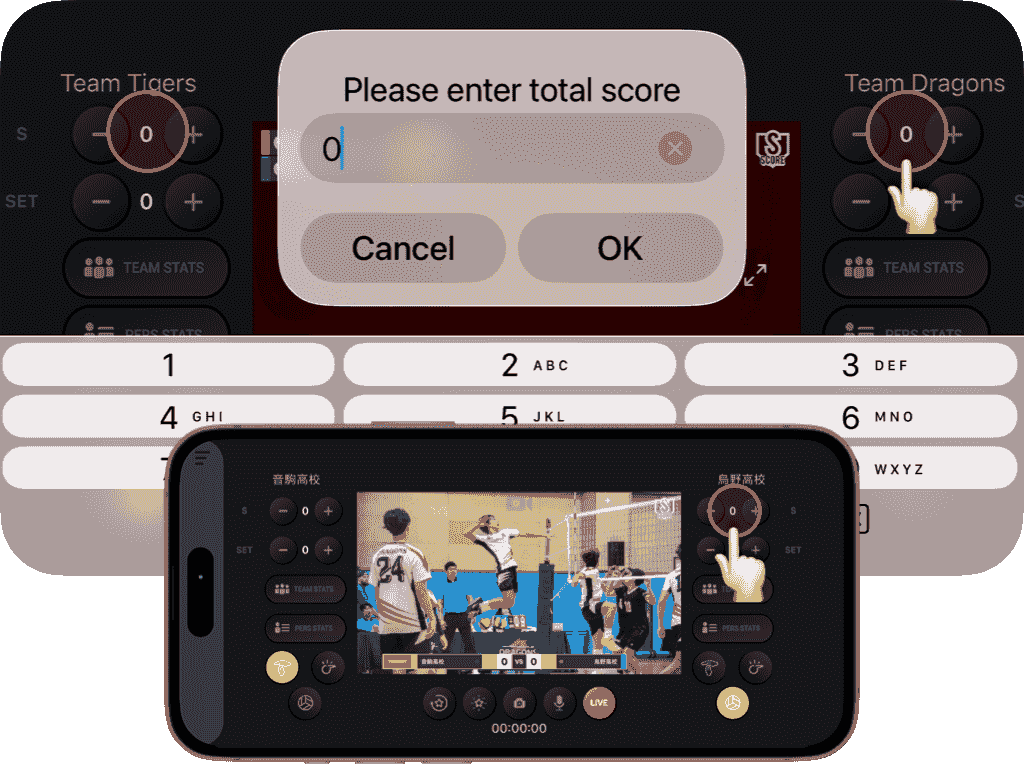
Edit Scores
Simply tap the score field to quickly enter and adjust each team’s score, making scoreboard control faster and more intuitive during live streaming.

Starting lineup
ScoreLive Volleyball supports 2 to 9 player formats, so it works well for different levels of play. You can show the starting lineup for one team, or display all players currently on the court for both teams.
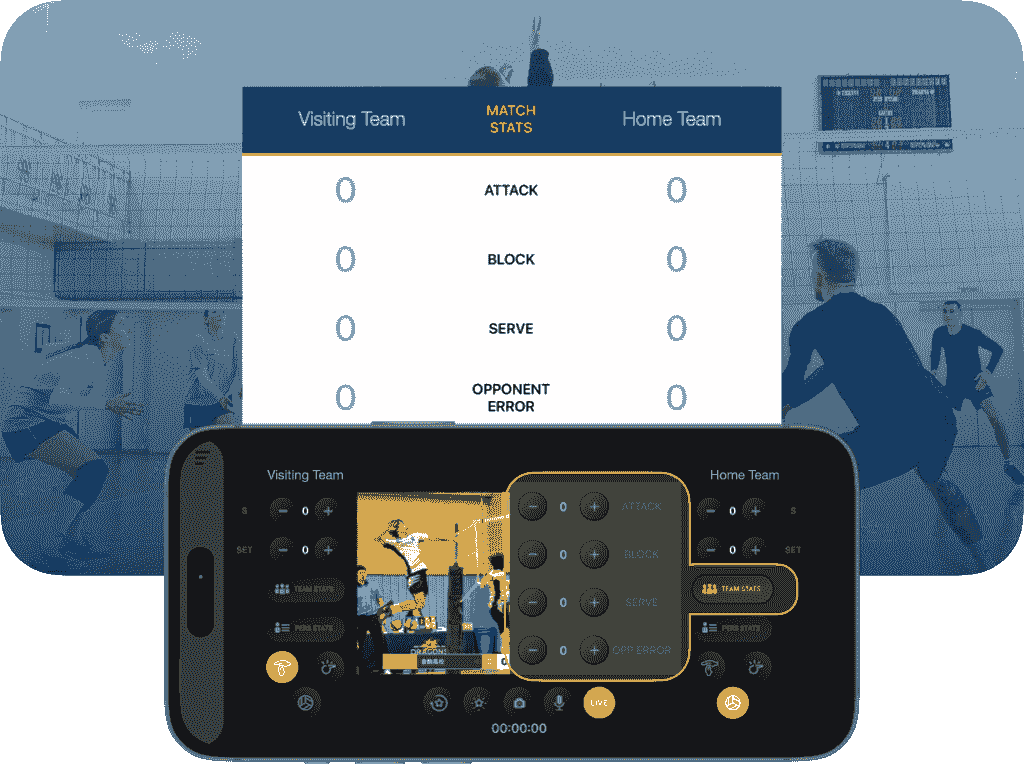
Match stats
If you record team stats for both teams, you can display a side-by-side team stats graphic during the livestream, so viewers can instantly see how each team is performing.

Top player
Once individual stats are recorded, top-performing players can be highlighted during the game, or you can spotlight a player you want to recognize and encourage.

Match score
ScoreLive Volleyball also displays scores by set, so viewers can easily see each team’s points in every set and follow how the match has played out clearly and smoothly from start to finish.
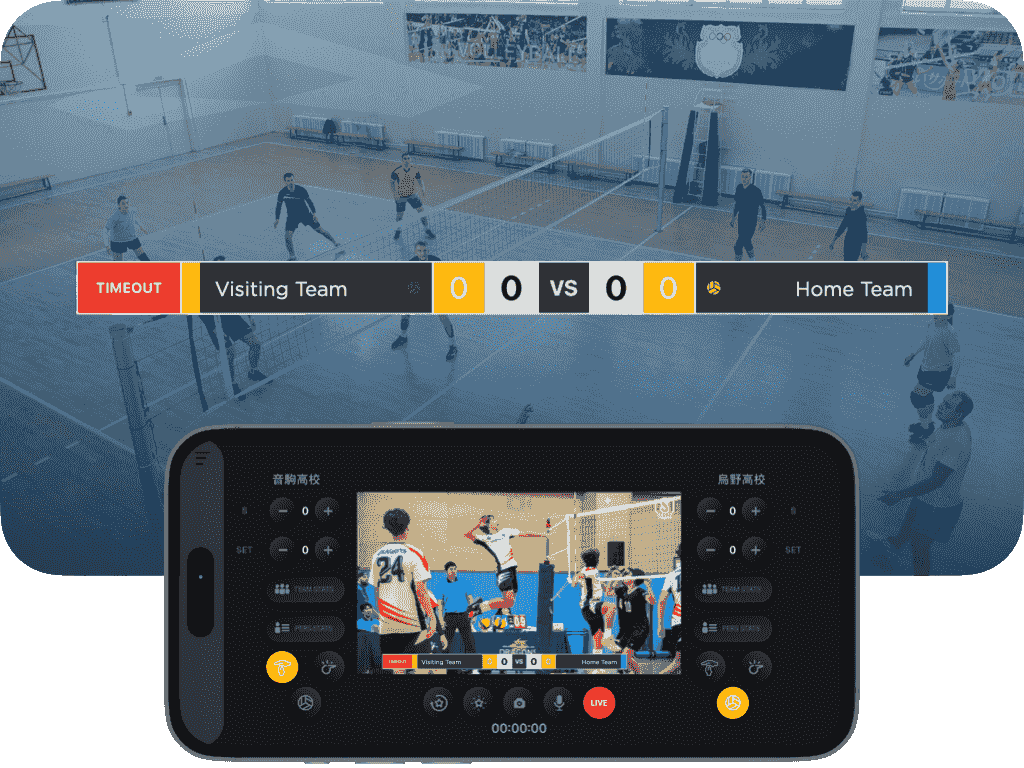
Timeout & Challenge
ScoreLive Volleyball lets you display timeout and challenge graphics during the livestream, helping viewers clearly understand pauses, and key moments in the match.
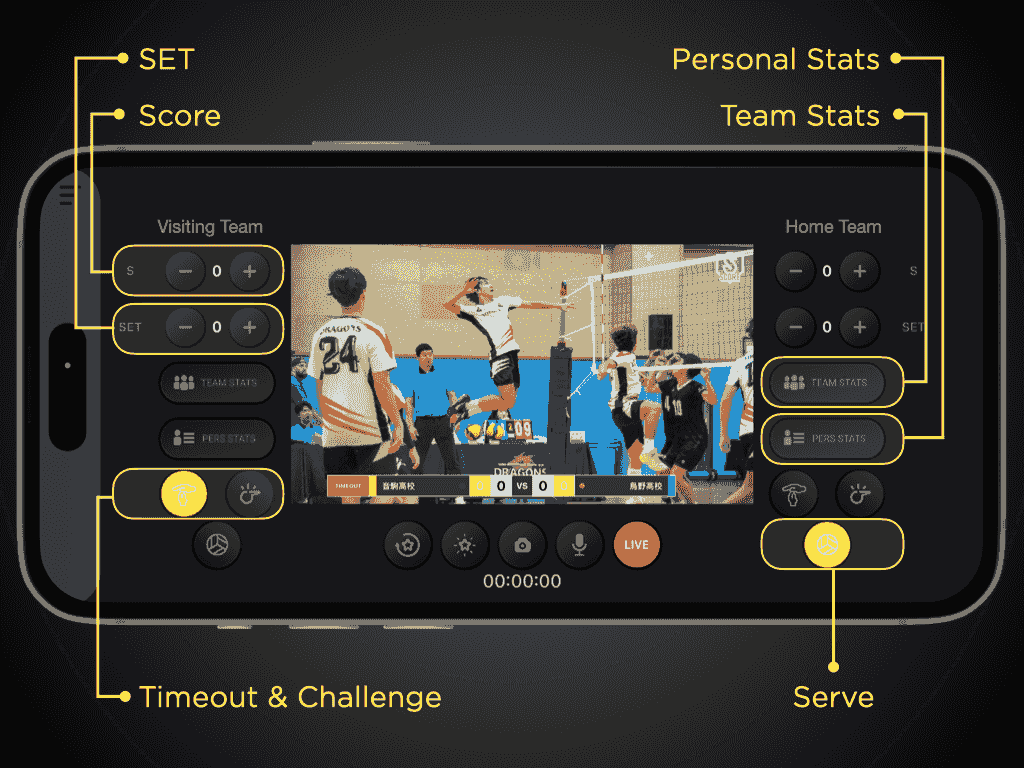
Control panel
ScoreLive Volleyball features a dedicated control panel designed specifically for volleyball, making it easy to record points, manage sets, show the serving team on screen, and handle timeouts.
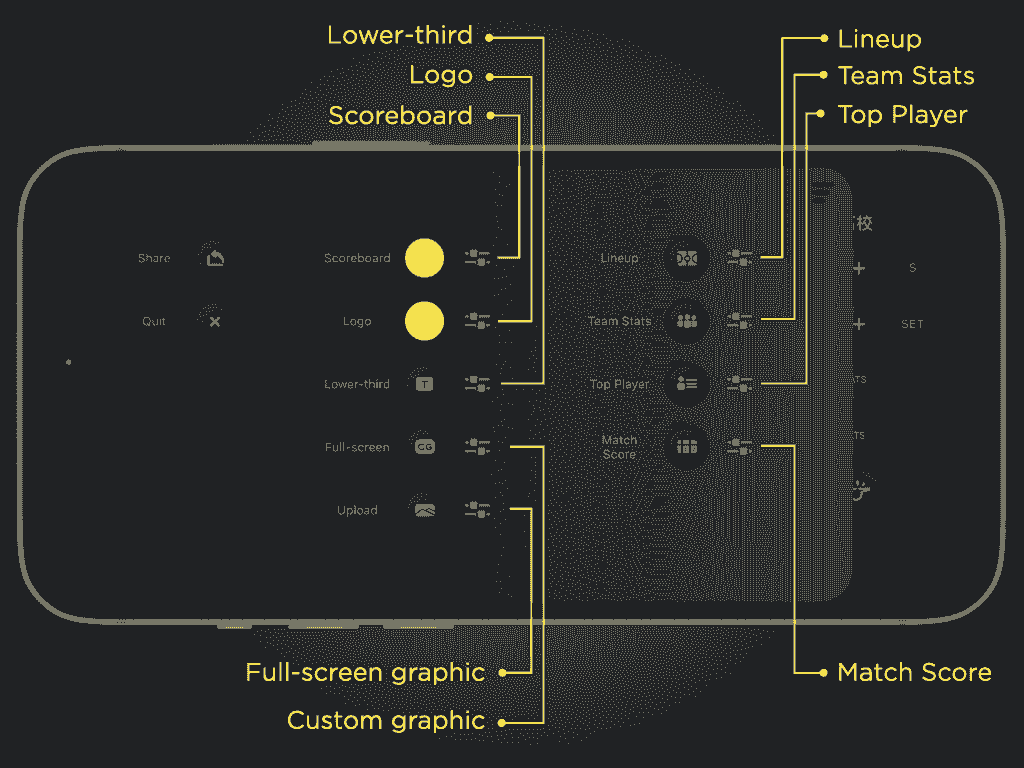
Advanced panel
The Advanced Panel gives you access to a wider range of volleyball-specific overlays that make your stream feel like a real broadcast, including starting lineups, top players, and match stats.
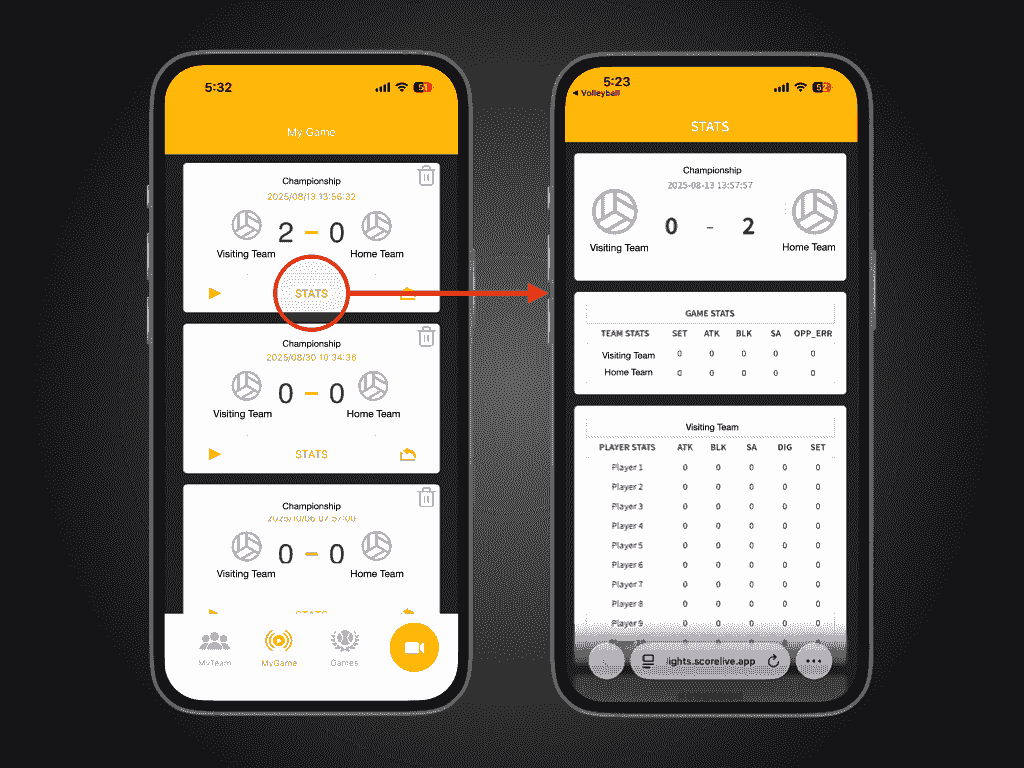
Stats report
If you record stats during the livestream, you can review them after the game. Just go to My Games and tap STATS to see a complete breakdown of team and individual player stats, all in one place.
Go live with ScoreLive Volleyball